The Secret World Inside Your Favorite AI Tools
I remember the first time I saw an AI-generated image of a cat playing a guitar. It felt like magic, and honestly, it kind of scared me a little bit. I spent hours staring at the screen, wondering how a piece of software could "imagine" something so specific. My mind kept racing with questions about what was actually happening behind that chat box. I felt like I was looking at a locked door with no key. That confusion stayed with me for weeks until I decided to look under the hood myself.
Many people today feel the same way I did back then. It is frustrating to use a tool every day without knowing how it makes decisions or where its "creativity" comes from. This lack of knowledge makes us feel disconnected from the technology we use for work and play. We worry if the machine is just copying things or if it actually "understands" our requests. This mental fog can make it hard to trust the outputs we get from these new systems.
When we don't understand the tools we use, we lose our sense of control. It feels like everyone else is moving ahead while we are stuck wondering about the basics. This can cause a lot of stress, especially when we see AI changing our jobs and hobbies. We want to be part of the future, but the complex jargon makes us want to turn away. It is time to break down those walls and see the simple logic inside.
Breaking Down the Digital Brain
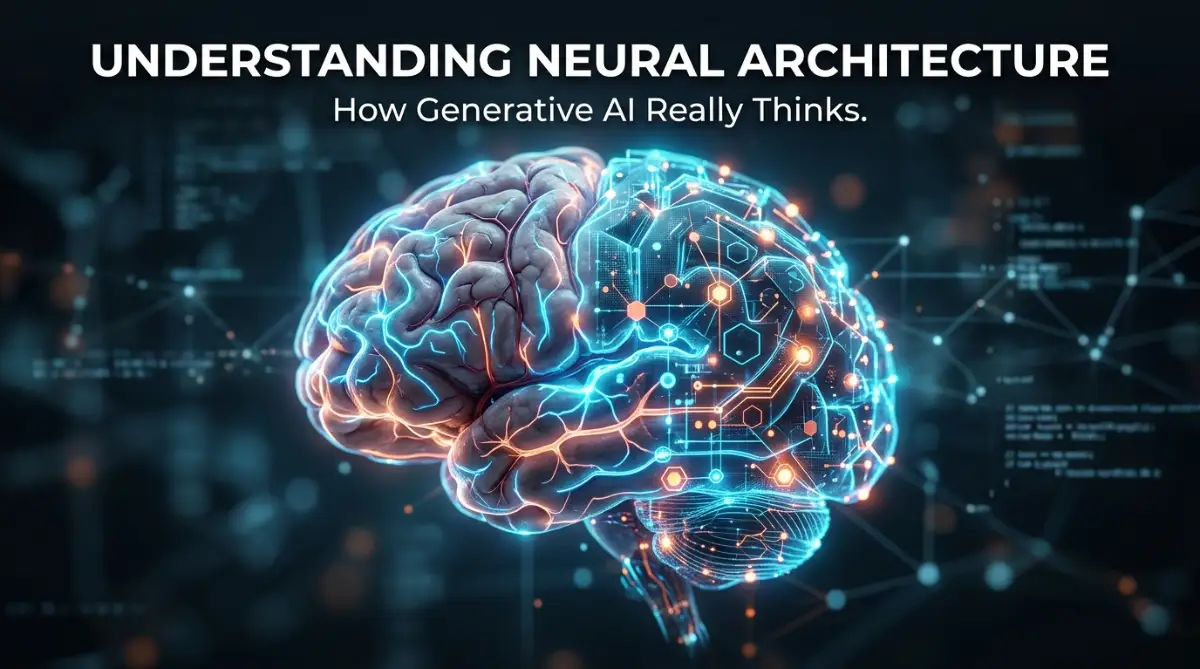
The first thing I learned is that AI does not think like a human, but it tries to copy our brain's structure. Think of it like a giant web of tiny light bulbs. Each bulb is a "neuron," and they all talk to each other through digital wires. When you give an AI tool a prompt, you are basically sending a spark through this web. I used to think it was just a giant database of images, but it is actually much more interesting than that.
These digital neurons are organized into layers, like a very tall cake. The bottom layer takes in your words, and the top layer gives you the final result. In between, there are "hidden layers" where all the hard work happens. I like to imagine these layers as filters that help the machine understand shapes, colors, and meanings. Each layer adds a bit more detail until a clear picture or sentence is formed.
I once made the mistake of thinking these systems were "sentient" or alive. I realized later that they are just very good at math and pattern matching. They look at millions of examples and learn that "blue" usually goes with "sky" and "green" goes with "grass." It is not magic; it is just a very complex set of rules that the machine builds for itself. Once I understood this, the "magic" became a tool I could actually use.

How Data Transforms into Creative Output
To understand this better, we need to look at how these layers actually talk to each other. Every connection between these digital neurons has a "weight." Think of a weight like the volume knob on a radio. If a connection is important, the machine turns the volume up. If it is not important, it turns it down. This is how the AI learns what to focus on when you ask it for something specific.
When a generative AI tool starts to create, it often begins with "noise." If it is making an image, it starts with a screen full of static, like an old TV with no signal. Then, layer by layer, it starts to move the pixels around based on what it learned. It "denoises" the image until it looks like the cat or the mountain you asked for. It is a slow, step-by-step process that happens in a matter of seconds.
Pro Tip: I found that when I describe the texture and lighting of an object, the neural network finds the right "weights" much faster. My early mistake was being too vague, which confused the hidden layers of the model. Now, I try to be very specific about the environment to help the AI "focus" its digital neurons.
Watch this helpful video to see a visual breakdown of how neural nodes connect in real-time!
The Role of Transformers in Modern Writing Tools
If you have used a writing tool recently, you have interacted with something called a "Transformer." This is a specific type of neural architecture that changed everything. Before this, AI tools would read one word at a time, often forgetting the beginning of a sentence by the time they reached the end. This made their writing feel clunky and robotic, which was a huge struggle for me when I tried to use them for research.
Transformers use something called "Attention." This allows the machine to look at every word in a paragraph at the same time. It figures out which words are related to each other, even if they are far apart. For example, in the sentence "The dog, which was very hungry, ate its food," the AI uses attention to know that "its" refers to the dog. This simple logic is what makes modern AI feel so much more "human" than older software.
I spent a lot of time trying to figure out why some AI writing sounded better than others. I realized it all comes down to how many of these "attention" connections the model can handle. The bigger the architecture, the better it can keep track of complex ideas. It is like having a bigger workspace; you can spread out more papers and see the whole project at once. This is why newer models can write long essays without losing their train of thought.
The Training Phase: How the Architecture Learns
The structure of the AI is empty when it is first created. It is like a new notebook with no writing in it. To fill it up, developers show the machine millions of books, articles, and pictures. This is called the "training" phase. During this time, the neural architecture is constantly adjusting its "weights" to try and match the patterns it sees in the real world.
If the machine makes a mistake, it gets a digital "correction." The system then goes backward through its layers to see where it went wrong. This is a process called "backpropagation." I like to think of it as a student checking their math homework after getting a bad grade. The student looks at each step to see where they missed a number. The AI does this millions of times until it becomes very accurate.
I used to worry that the AI was "stealing" work during this phase. However, after studying the architecture, I saw that it doesn't store the actual images or text. It only stores the patterns and the math. It is like learning how to bake a cake. You don't need to keep every cake you ever saw in your kitchen; you just need to remember the recipe and the techniques you learned along the way.
Why Latency Matters in Generative Software
Have you ever noticed that some AI tools take a long time to respond? This usually happens because the neural architecture is so large that the data has to travel through billions of connections. Each layer takes a tiny bit of time to process the information. When you have hundreds of layers, those tiny bits of time add up. This is a big challenge for developers who want to make AI feel instant.
To solve this, many SaaS companies are working on "optimizing" their models. They try to make the neural web smaller without losing its "intelligence." It is a bit like packing a suitcase for a trip. You want to take everything you need, but you don't want the bag to be too heavy to carry. These smaller, faster models are what allow us to have AI assistants on our phones and in our web browsers.
I remember getting frustrated when an AI tool would lag or crash. I thought it was just my internet connection. Later, I realized it was actually the server struggling to push my data through a massive neural web. Understanding this helped me be more patient. I now know that the machine is doing billions of calculations just to answer my simple question. It makes the technology feel much more impressive.
The Difference Between Training and Inference
There are two main stages in the life of an AI model: training and inference. Training is the "school" phase we talked about earlier. Inference is when you actually use the tool to get an answer. The neural architecture stays mostly "frozen" during the inference phase. It uses what it already knows to solve your problem without learning anything new from you.
This is an important distinction because it affects how we use these tools. Many people think the AI is learning from them in real-time, but that is usually not the case. Your prompt is just data passing through a pre-built web of connections. This is why you can get different results from the same prompt if the model uses a "randomness" factor, even though the architecture itself hasn't changed.
I found this realization very helpful for my own work. It meant that I didn't have to worry about "breaking" the AI by giving it bad information. The model is a finished product, and I am just a user navigating its complex paths. It gave me the freedom to experiment and try weird prompts without feeling like I was messing up a sophisticated system.
Balancing Power and Efficiency in Cloud SaaS
Running these massive neural architectures requires a lot of electricity and powerful computers. This is why most AI tools are sold as "SaaS" or Software as a Service. The heavy lifting happens in giant data centers with thousands of specialized chips. These chips are designed to do the specific math that neural networks need, which is very different from the math your laptop does.
As more people use these tools, the demand for this "compute" power grows. This is why some services have limits on how many messages you can send. Each message costs the company a tiny bit of money in electricity and server wear-and-tear. I used to think these limits were just to get me to pay for a subscription, but there is a real physical cost behind every AI response.
I started looking for ways to use these tools more efficiently. For example, I found that combined prompts are better than sending five small messages. This saves server power and usually gives me a better result. It is a small way to be more mindful of the massive infrastructure that supports our digital lives. Plus, it makes my own workflow much faster and more organized.
The Evolution of Specialized AI Architectures
Not all neural networks are built the same way. Some are designed specifically for language, while others are built for music, video, or medical data. Just like a professional athlete trains differently than a chef, these models have different "shapes" based on their goals. This specialization is why we see so many different types of AI tools popping up every day.
In the early days, researchers tried to make one "giant" model that could do everything. They soon realized that smaller, specialized models often worked better for specific tasks. For instance, an AI trained only on legal documents will be much better at writing a contract than a general-purpose chat bot. This trend of "niche" AI is making the tools we use much more accurate and helpful for our specific jobs.
I love seeing how these different architectures are coming together. Some of the coolest tools I use combine a language model with an image model. They "talk" to each other to make sure the picture matches the description perfectly. This kind of teamwork between different neural nets is the next big step in technology. It feels like we are moving toward a world where every piece of software has its own "brain" to help us get things done.
Understanding Data Privacy within the Neural Web
One of the biggest concerns I hear from my friends is about privacy. They wonder if their personal information gets "stuck" inside the AI's neural architecture. Based on what I have learned, the answer is mostly no, but it is still important to be careful. While the architecture doesn't "save" your text like a Word document, the data you send can be used to train the next version of the model.
Most professional SaaS companies have very strict rules about this. They often "scrub" the data to remove personal names and details before using it for training. However, it is always a good idea to check the settings of any AI tool you use. Many have an "opt-out" button that stops your data from being used for training. I always make sure to turn this on when I am working with sensitive project details.
Taking control of my privacy made me feel much more comfortable using these tools every day. Instead of being afraid of the "black box," I learned how to manage my interaction with it. Knowing how the architecture handles data gave me the confidence to integrate AI into my professional life. It is all about being an informed user rather than a passive observer of the tech revolution.
The Future of Human-AI Collaboration
As neural architectures become more advanced, they will start to feel less like "software" and more like "partners." We are already seeing models that can see, hear, and speak at the same time. This is called "multimodal" architecture. It allows the AI to understand the world more like we do, which opens up amazing possibilities for the future.
Imagine a world where your AI tool can look at a broken sink through your phone's camera and talk you through the repair. Or a tool that can listen to a meeting and immediately draw a diagram of the ideas discussed. This isn't science fiction; the foundations for these things are being built right now in the neural webs of modern software. It is an exciting time to be alive and watching this happen.
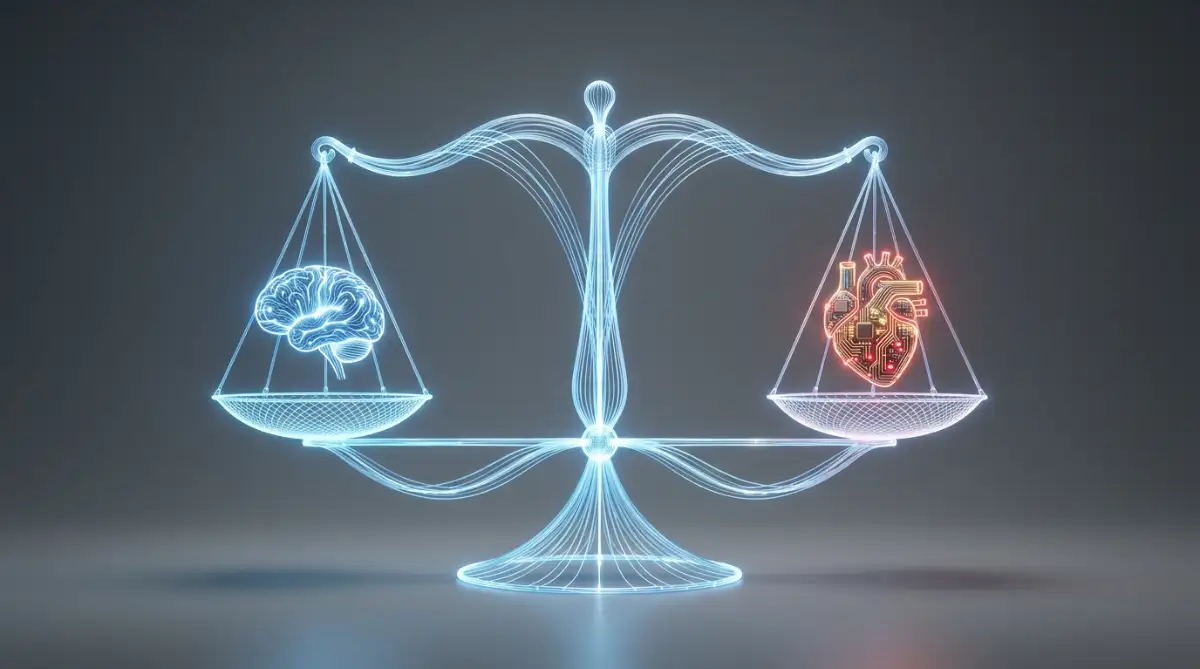
I used to worry that AI would replace my creativity. Now, I see it as a way to expand my own brain. The neural architecture handles the repetitive, difficult math, while I focus on the big ideas and the emotions. It is a perfect balance of machine logic and human spirit. By understanding how these tools work, we can stop fearing them and start using them to build a better world for everyone.
Exploring the Math of Similarity
To wrap our heads around how AI "understands" things, we have to look at "Vectors." Imagine every word or image is a point on a giant 3D map. Words that are similar, like "happy" and "joyful," are placed very close to each other on this map. Words that are different, like "apple" and "spaceship," are far apart. This is how the neural architecture organizes its knowledge.
When you give the AI a prompt, it turns your words into these math points. It then looks for other points that are nearby to build its response. This is why AI is so good at synonyms and translations. It doesn't just look for matching letters; it looks for matching "locations" in its digital map of meaning. This was a huge "aha!" moment for me when I first heard about it.
I started visualizing my prompts as "coordinates" on this map. Instead of just typing words, I tried to "point" the AI toward the right neighborhood of ideas. If I wanted a professional tone, I used words that I knew were located in the "business" section of the model's map. This simple shift in my thinking changed my results instantly. It felt like I finally had the steering wheel in my hand.
Why Neural Networks Need "Activation Functions"
Every neuron in the architecture has a tiny gatekeeper called an "activation function." Its job is to decide whether the information is important enough to pass to the next layer. It is like a bouncer at a club. If the signal isn't strong enough, the bouncer says "no," and the information stops there. This prevents the machine from getting overwhelmed by useless data.
This "yes or no" logic is what allows the AI to make clear decisions. Without these gatekeepers, the neural network would just be a messy blur of numbers. These functions help the machine focus on the most important parts of your prompt. It is a beautiful example of how simple rules can create very complex and smart behaviors when they work together at a massive scale.
I realized that my own brain works in a similar way. I filter out the sound of the air conditioner or the traffic outside so I can focus on my work. The AI is doing the exact same thing to help me solve my problems. Seeing this connection between biology and technology made the whole subject feel much more natural and less "alien."
Final Thoughts on Digital Architecture
We have covered a lot of ground today, from layers and weights to attention and vectors. It can feel like a lot to take in, but remember that you don't need to be a mathematician to use these tools well. Just knowing the basics of how they "think" puts you ahead of 90% of other users. It gives you the "key" to the locked door that I was so worried about when I started.
As you continue to use AI tools, keep an eye on how they respond to you. Notice the patterns, the lag, and the "creativity" in their outputs. Now that you know about the neural architecture, you can see the logic behind the "magic." You are no longer just a user; you are an informed participant in the most exciting technological shift of our time.
I am so glad I took the time to learn these basics. It turned my fear into curiosity and my confusion into confidence. I hope this guide helps you feel the same way. The future is bright, and with these new tools in our hands, there is no limit to what we can create together. Keep exploring, keep questioning, and keep building!
Mastering the Hidden Controls of AI Models
Now that we understand how the brain of an AI is built, we can look at how to actually drive it like a pro. Most people just type a few words and hope for the best. I used to do the same thing, and I often felt let down by the results. Once I started looking at the specific "knobs" we can turn, everything changed for me.
One secret I discovered is the concept of "Temperature" in neural networks. Think of temperature like the "creativity slider" for the AI’s digital neurons. When the temperature is low, the machine stays very safe and follows the most likely paths in its map. If you turn it up, the sparks fly in different directions, leading to more unique and wild ideas.
I learned that for technical writing, I need to keep the temperature low so the facts stay straight. But when I want a fun story or a new business idea, I want that temperature higher. You can often find these settings in the "Advanced" or "Developer" sections of your favorite software and AI tools. Understanding this one setting helped me stop fighting the machine and start guiding it.
Another pro-level trick is knowing about "Top-P" or "Nucleus Sampling." This sounds like scary math, but it is actually quite simple. It tells the AI to only look at the top group of likely words and ignore the "noise" at the bottom. When I adjust this, I notice the writing becomes much more focused and stops wandering off-topic.
I also spent time experimenting with "System Prompts." These are instructions that sit at the very top of the neural architecture. They tell the AI who it should be before you even ask your first question. I found that telling the AI to "think step-by-step" actually forces it to use more of its internal layers. This simple sentence makes the output much more logical and deep.
Managing the "Context Window" is another skill that separates the experts from the beginners. Every AI model has a limit on how much it can remember in a single chat. If your chat gets too long, the oldest parts start to fall out of the digital "brain." I started summarizing my long chats every few minutes to keep the most important facts fresh in the AI's active memory.
If you want to stay ahead, you should look at how different software models handle these parameters. Some are better at following strict rules, while others are built for open-ended chatting. I always try to match the specific model architecture to the job I am doing. It is like choosing the right tool from a physical toolbox; you wouldn't use a hammer to turn a screw.
Lastly, I realized that "Fine-Tuning" is the ultimate secret for big businesses. This is when a company takes a pre-built neural web and gives it a little bit more training on their own specific data. It doesn't change the whole structure, but it adjusts the "weights" to fit a certain style perfectly. You can learn more about how organizations manage this through trusted research papers from Stanford University.
Keeping Your Edge in the World of Artificial Intelligence
To stay good at using these tools over the long term, you have to stay curious. The architecture of these models is always being tweaked and improved. I make it a habit to read the "Release Notes" whenever my favorite tool gets an update. It helps me see if they added new layers or changed how the "Attention" mechanism works.
I also suggest keeping a "Prompt Library" for yourself. Whenever I get a perfect result, I save that prompt and a note about why it worked. This helps me build a personal "map" of how that specific AI architecture reacts to my voice. Over time, this library becomes your most valuable asset in the digital age.
Another thing I do is follow the work of major technology institutes like NIST to understand the safety and logic standards being set. This keeps me informed about the "Ethics" layers that developers are adding to the models. Knowing these rules helps me understand why the AI might refuse a certain request. It saves me a lot of time and frustration.
I have also found that teaching others is the best way to learn. When I explain neural architecture to a friend, I often discover a new way to think about it myself. It forces me to simplify the complex ideas into something anyone can understand. This "human-to-human" sharing is how we all get better at using this powerful technology.
Remember that you are the pilot and the AI is the engine. The engine is powerful, but it doesn't know where to go without your guidance. By learning the technical side of the architecture, you become a better pilot. You stop being a passenger and start taking charge of your digital journey.
The Hidden Dangers of Misunderstanding AI Logic
I have seen so many people get hurt or frustrated because they treat AI like a human being. This is a huge mistake that I call "The Human Trap." We want to believe the machine has feelings or "knows" us, but it doesn't. It is just a massive web of math reacting to your input. When we forget this, we start to trust it too much with our private emotions or secrets.
I remember a friend who shared very private health information with a basic chat bot. She thought she was talking to a digital doctor. But the neural architecture was just pulling from general patterns it learned in training. It gave her advice that was actually dangerous for her specific condition. This broke my heart and reminded me why we must always keep a "Human in the Loop."
Another common pitfall is what I call "Prompt Blindness." This is when you keep sending the same bad prompt over and over, expecting a different result. I used to do this when I was tired or stressed. I would get mad at the AI, but the problem was my own input. The neural network was just doing exactly what I told it to do, even if my instructions were confusing.
Many people also ignore the "Bias" that can be hidden in the neural weights. Since the architecture is trained on human data, it often picks up our human flaws and prejudices. If we don't look for these biases, we might end up spreading unfair or incorrect information. I always double-check any sensitive data the AI gives me against a reliable knowledge base.
The worst mistake is letting the AI do all the thinking for you. I have seen students and workers stop using their own brains because the AI is so fast. This is a scary path to take. If you stop practicing your own skills, you will eventually lose them. The AI should be a "Co-Pilot," not a replacement for your own intelligence and creativity.
Think about what happens if the software crashes or the company changes its rules. If you have become totally dependent on that specific neural architecture, you will be in big trouble. I always make sure I can still do my job manually if I have to. This "Independence Rule" has saved me many times when my favorite tools were offline or acting weird.
Finally, some users forget that these models are "Probabilistic." This means they are guessing the next best word based on math, not facts. Even the most advanced model can "Hallucinate," which is a fancy way of saying it lies with confidence. I have seen people lose money or ruin their reputation because they shared a "fact" that the AI simply made up. Always verify the output before you click "Send" or "Publish."
Embracing the Next Step in Your Journey
We have traveled through the deep layers of the digital brain together. It is a lot to process, but you have done a great job. I want you to feel excited, not overwhelmed. You now have a better understanding of how this software works than most of the people on the planet. That is a massive advantage for your career and your personal life.
The world is changing, and the people who understand the "Why" behind the "How" are the ones who will lead. You don't need to be a coder to be an AI expert. You just need to have a curious mind and a willingness to experiment. Every time you open an AI tool, look at it as a new puzzle to solve.
I want to see you take what you learned here and try something new today. Go into your favorite tool and try a "System Prompt" or adjust a "Temperature" setting if you can. Watch how the neural web reacts to your new way of speaking. It is like learning a new language, and you are already getting quite good at it.
My journey with AI started with fear and confusion, just like many of you. But once I realized that I could guide the digital neurons with my own logic, my life became so much easier. I want you to feel that same power and excitement as you step into the future. You are ready to handle whatever this new era of technology throws at you.
Clearing the Air: Real Questions from Real Users
Can an AI model learn my personal style over time?
Most general models stay the same after they are released and don't "learn" from you permanently. However, they use the "Context Window" to remember your style within a single conversation. If you want a permanent style, you usually need a specialized software setup that uses a custom knowledge base or fine-tuning.
Why does the AI sometimes repeat itself or get stuck in a loop?
This usually happens because the neural pathways get caught in a "math loop." The model thinks the best word to follow "X" is "Y," and the best word to follow "Y" is "X." You can usually break this by changing the "Temperature" or by giving a very different prompt to shift the model's focus.
Is the AI actually "thinking" when it takes a long time to answer?
It isn't "thinking" in the way humans do, but it is doing billions of math operations. The delay is the time it takes for the data to travel through all the layers and nodes of the architecture. You can learn more about these speed challenges in modern computing to see the hardware side of the story.
How do I know if the information I get is actually true?
You should always treat AI as a "Creative Assistant," not a "Fact Checker." Because the architecture is based on patterns and not a live database of truth, it can make mistakes. Always check important facts against verified educational sites or official documents before using them.
Can I run a powerful neural architecture on my own laptop?
It depends on your hardware. Most massive models require giant server farms, but there are "Quantized" versions that are made smaller to fit on home computers. This is a great way to explore local AI tools while keeping your data private on your own hard drive.
Taking Action with Your New Knowledge
I am so proud of you for making it to the end of this deep guide. It shows that you are serious about your growth and your future. I hope you feel like a curtain has been pulled back and you can finally see how the machine works. This knowledge is your superpower in a world that is becoming more digital every day.
I really believe that the best way to predict the future is to help create it. By using these tools wisely and ethically, you are helping to shape how AI will look for the next generation. Don't be afraid to make mistakes or try things that seem "too technical." Every expert was once a beginner who just refused to give up.
Go out there and start playing with these digital brains. I am excited to see the amazing things you will create with your new "Co-Pilot" by your side. Your journey is just beginning, and the possibilities are truly endless.
Disclaimer: This article is for educational purposes only. Artificial intelligence technology changes rapidly, and you should always verify the latest settings and privacy policies of any software you use. We do not provide legal, medical, or financial advice through this content.